

Command line
Sweep's fast scanner, in your terminal.
The sweep command shows where the space goes in any folder, as text or JSON, and can save the Disk Map bubble view as an image. It uses the same scanner as the app.
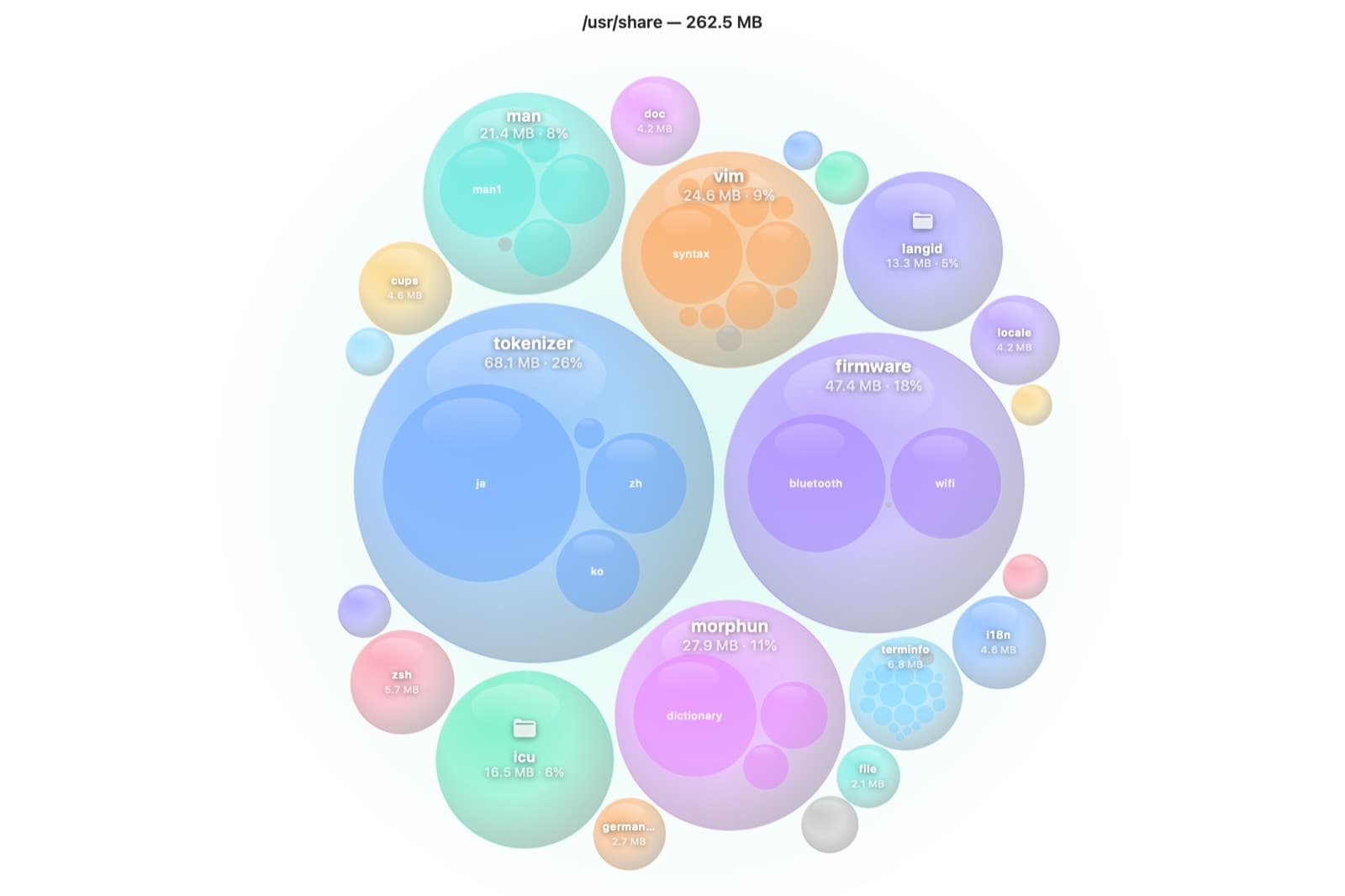
Where does the space go?
Real output from a scan of /usr/share. The same scanner powers Disk Map in the app.
Text report, five biggest entries
$ sweep lens /usr/share --top 5
/usr/share
  on disk 262.5 MB, logical 520.4 MB
  68.1 MB     25.9%  tokenizer/
  47.4 MB     18.1%  firmware/
  27.9 MB     10.6%  morphun/
  24.6 MB      9.4%  vim/
  21.4 MB      8.2%  man/
  73.1 MB in 37 more items

15741 files, 888 folders, 3526 symlinks in 0.08 s (220312 entries/s, 24 threads)
2651 hard links counted once (14.8 MB not double-counted)Everything sweep lens can do
- --top N: entries listed per folder (default 15)
- --depth N: folder levels to list
- --json: the same entries, nested, as JSON
- --logical: size and sort by file length instead of space on disk
- --private-size: what deleting each entry would really free with APFS clones
- --cross-mounts: also scan other disks mounted inside the path
- --no-dedupe: count every hard link instead of each file once
- --threads N: scanner threads, 1 to 64
Not in the download yet
The command-line tool isn't part of Sweep.dmg. Build it from source with Xcode 16 or later; it takes one command.
Build from sourceCommand line questions
Something else? Ask us.
Works well with
Disk Map
A live bubble map of any disk or folder: the bigger the bubble, the bigger the folder. Hover for details, double-click to go inside, and remove what you don't need, with a log of every item.
ExploreWhat Grew
Sweep remembers every Disk Map scan, so the next scan of the same place shows what grew. It narrows the growth down to the folder or file that explains it.
ExploreTweaks
macOS has useful options it doesn't show in System Settings. Sweep puts 19 of them for Finder, the Dock, screenshots and more behind plain switches, and switching one off restores macOS's default exactly.
Explore
Clean, protect and understand your Mac.
Finds junk, big files and leftovers, checks for malware and risky settings, keeps apps updated, and shows what your Mac does when you're not looking. Free and open source.