

What Grew
Find out what changed since your last scan.
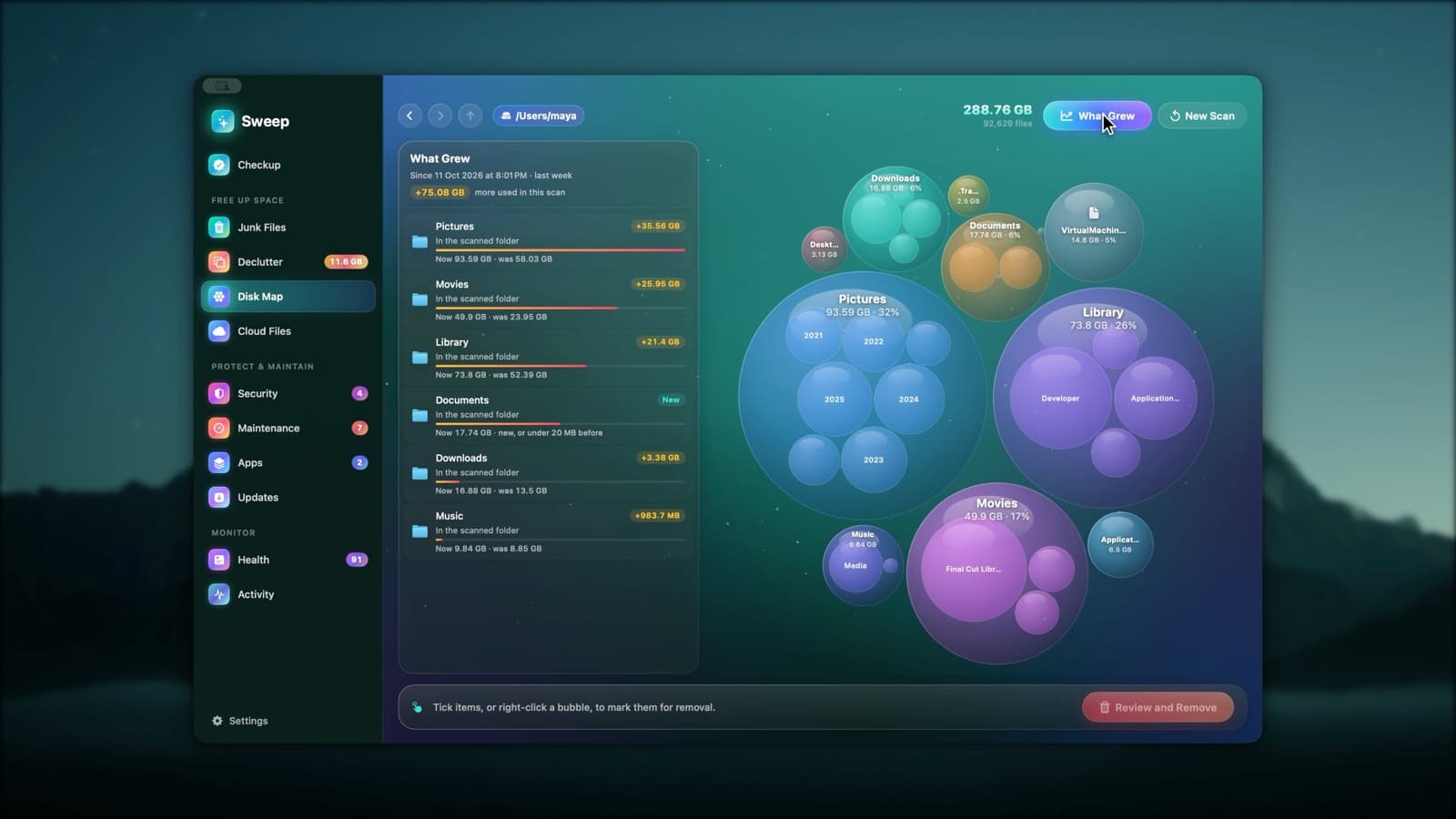
Sweep remembers every Disk Map scan, so the next scan of the same place shows what grew. It narrows the growth down to the folder or file that explains it.
Two scans, one clear answer
- 1
Scan once
Every Disk Map scan is remembered on your Mac.
- 2
Scan again later
The next scan of the same place is compared with the last one.
- 3
Follow the growth
What Grew lists the places that grew, narrowed down to the folder or file behind it.
What you see
- How much more is used since the last scan, and when that was
- The folders that grew the most, biggest first
- New folders and files, marked New
- A +/− change on every row of the list
Your scan history stays on your Mac
Sizes from past scans are saved locally so Sweep can compare them. They're never uploaded anywhere.
What Grew questions
Something else? Ask us.
Works well with
Disk Map
A live bubble map of any disk or folder: the bigger the bubble, the bigger the folder. Hover for details, double-click to go inside, and remove what you don't need, with a log of every item.
ExploreSystem Data, explained
Storage settings lump a lot into System Data. Sweep measures what's in it on your Mac, says who looks after each part, and links to where you can act.
ExploreDeclutter
Declutter looks through your Desktop, Documents, Downloads, Pictures, Movies and Music for exact duplicates, photos that look nearly the same, large or old files and old downloads. Everything it removes goes to the Trash.
Explore
Clean, protect and understand your Mac.
Finds junk, big files and leftovers, checks for malware and risky settings, keeps apps updated, and shows what your Mac does when you're not looking. Free and open source.