

Declutter
Duplicates, look-alike photos and forgotten big files.
Declutter looks through your Desktop, Documents, Downloads, Pictures, Movies and Music for exact duplicates, photos that look nearly the same, large or old files and old downloads. Everything it removes goes to the Trash.
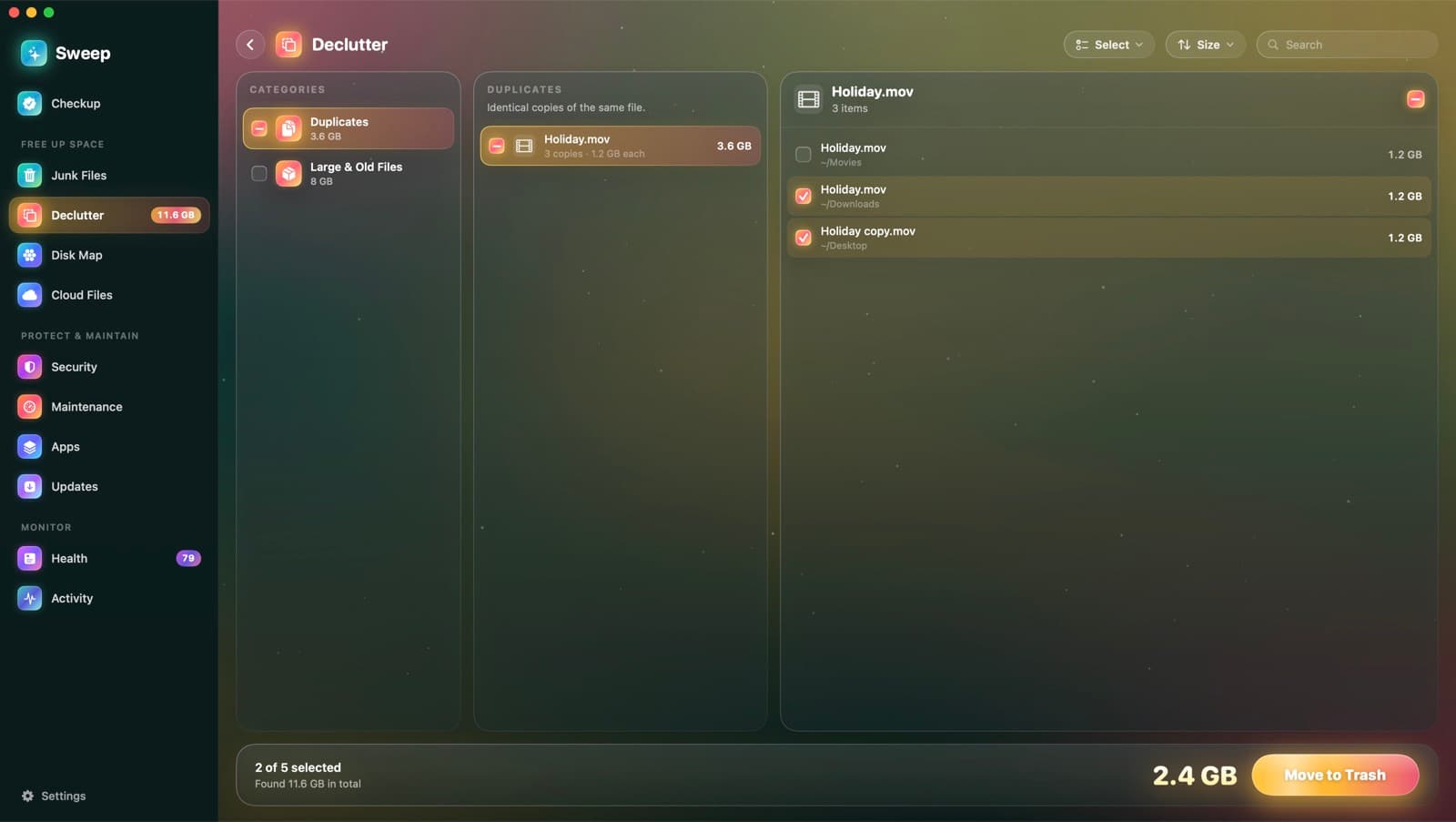
Four kinds of clutter
Duplicates
Identical copies of the same file. One copy of each is kept unless you choose otherwise.
Look-alike photos
Bursts and resized copies that look nearly the same, so you can keep the best one.
Large and old files
Files over 50 MB, grouped by size, with when you last opened them. Nothing is ticked for you.
Old downloads
Things in Downloads you got more than a month ago.
Matches you can trust
- 1
Duplicates by content
Files of the same size are compared by a sampled hash, then a full hash, so only true copies match.
- 2
Photos by appearance
Each photo gets a perceptual hash that survives resizing, recompression and small edits. Close matches are grouped.
- 3
The original stays
In each duplicate set, Sweep keeps the copy outside Downloads, without “copy” in its name, closest to the top of your folders.
Declutter questions
Something else? Ask us.
Works well with
Disk Map
A live bubble map of any disk or folder: the bigger the bubble, the bigger the folder. Hover for details, double-click to go inside, and remove what you don't need, with a log of every item.
ExploreCloud Files
Big files from iCloud Drive, Google Drive, OneDrive, Dropbox and Box can take up space on your Mac too. Sweep removes the local copy and leaves the file in the cloud, ready to download when you open it.
ExploreAutomation
Run Checkup every day, week or month and hear what it found. Auto-tidy rules move old installers, desktop screenshots and old downloads to the Trash, once a day.
Explore
Clean, protect and understand your Mac.
Finds junk, big files and leftovers, checks for malware and risky settings, keeps apps updated, and shows what your Mac does when you're not looking. Free and open source.