

Battery Care
Battery health, cycles and the charge limit, at a glance.
See your battery's health, its cycle count and the charge limit macOS applies, in one card. Sweep reads the limit from macOS's own charging policy, with no special permissions.
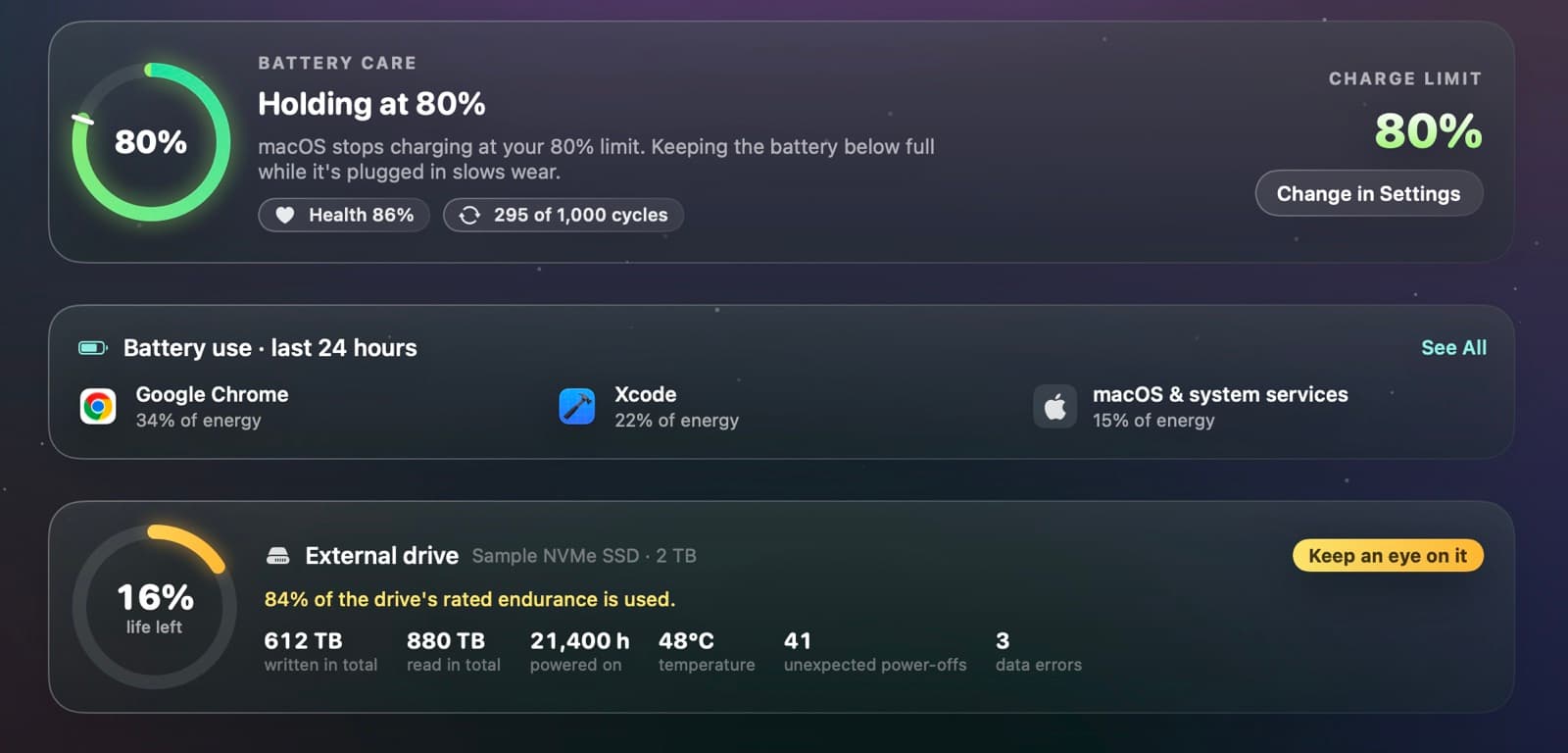
Everything about your battery, in one card
- The charge level, and whether macOS is holding it at your limit
- Battery health as a percentage
- Cycle count, out of the battery's rated cycles
- The charge limit set in System Settings › Battery
- A button straight to Battery settings
- The top three apps by energy in the last 24 hours
See what uses your battery
Battery level over time and the apps that used the most energy, helpers included, measured every five minutes while Sweep runs.
Explore Power and heat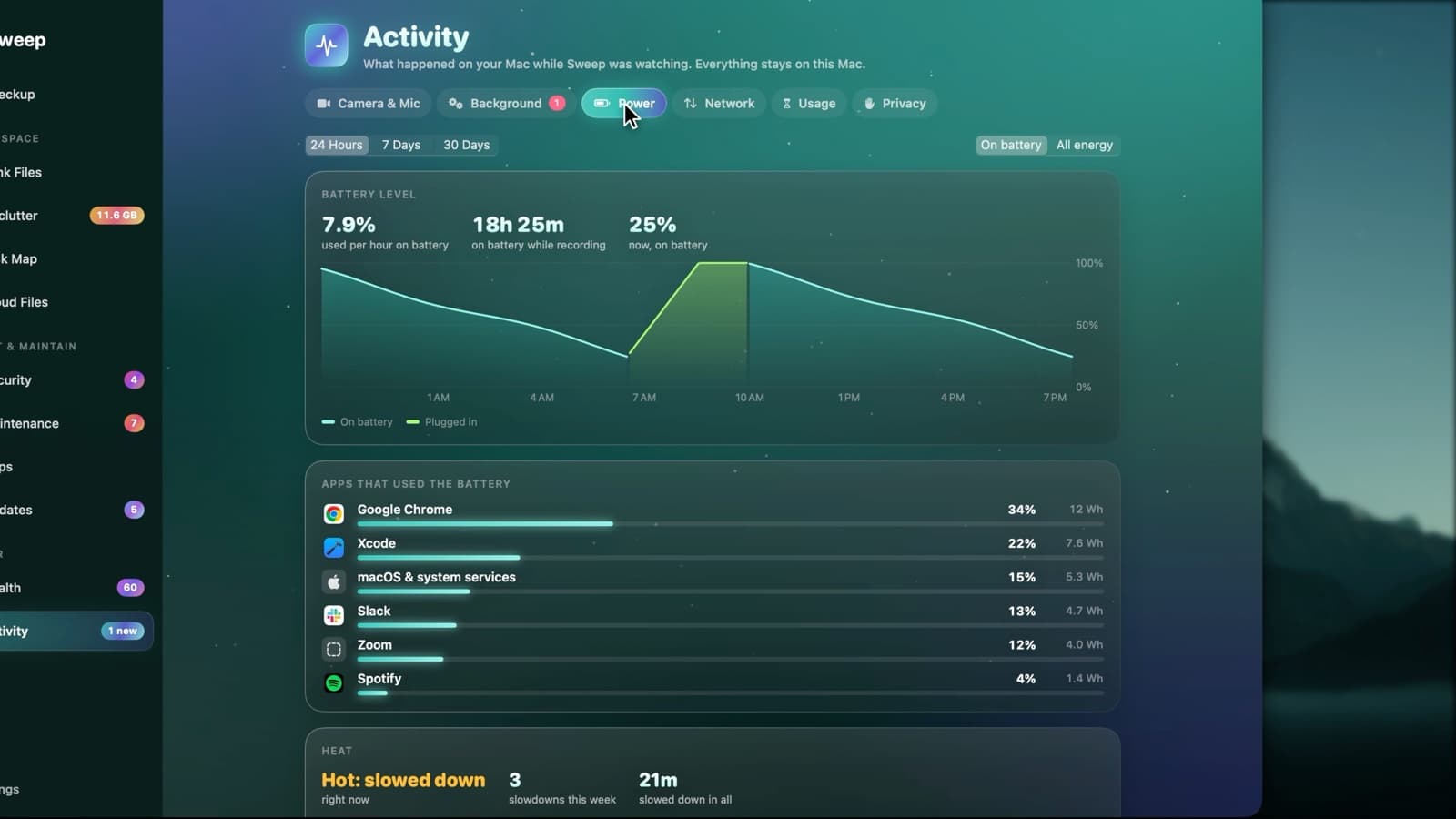
About the charge limit
The charge limit setting arrived in macOS 26.4. On earlier versions, Battery Care shows health and cycles without it.
Battery questions
Something else? Ask us.
Works well with
Power and heat
Activity › Power shows your battery level over time and which apps used the most energy, helpers included. It also records each time your Mac slowed itself down because it was hot, and which app was busiest.
ExploreHealth score
Health starts at 100 and takes off a fixed number of points for each problem it finds, so every point lost comes with a reason. Each recommendation opens the page that fixes it.
ExploreKeep Awake
Keep your Mac awake for a set time, until you stop it, or while a chosen app is open. Choose whether the display stays on too, and let it stop by itself when the battery runs low.
Explore
Clean, protect and understand your Mac.
Finds junk, big files and leftovers, checks for malware and risky settings, keeps apps updated, and shows what your Mac does when you're not looking. Free and open source.