

Health score
A score you can trust, because every point is explained.
Health starts at 100 and takes off a fixed number of points for each problem it finds, so every point lost comes with a reason. Each recommendation opens the page that fixes it.
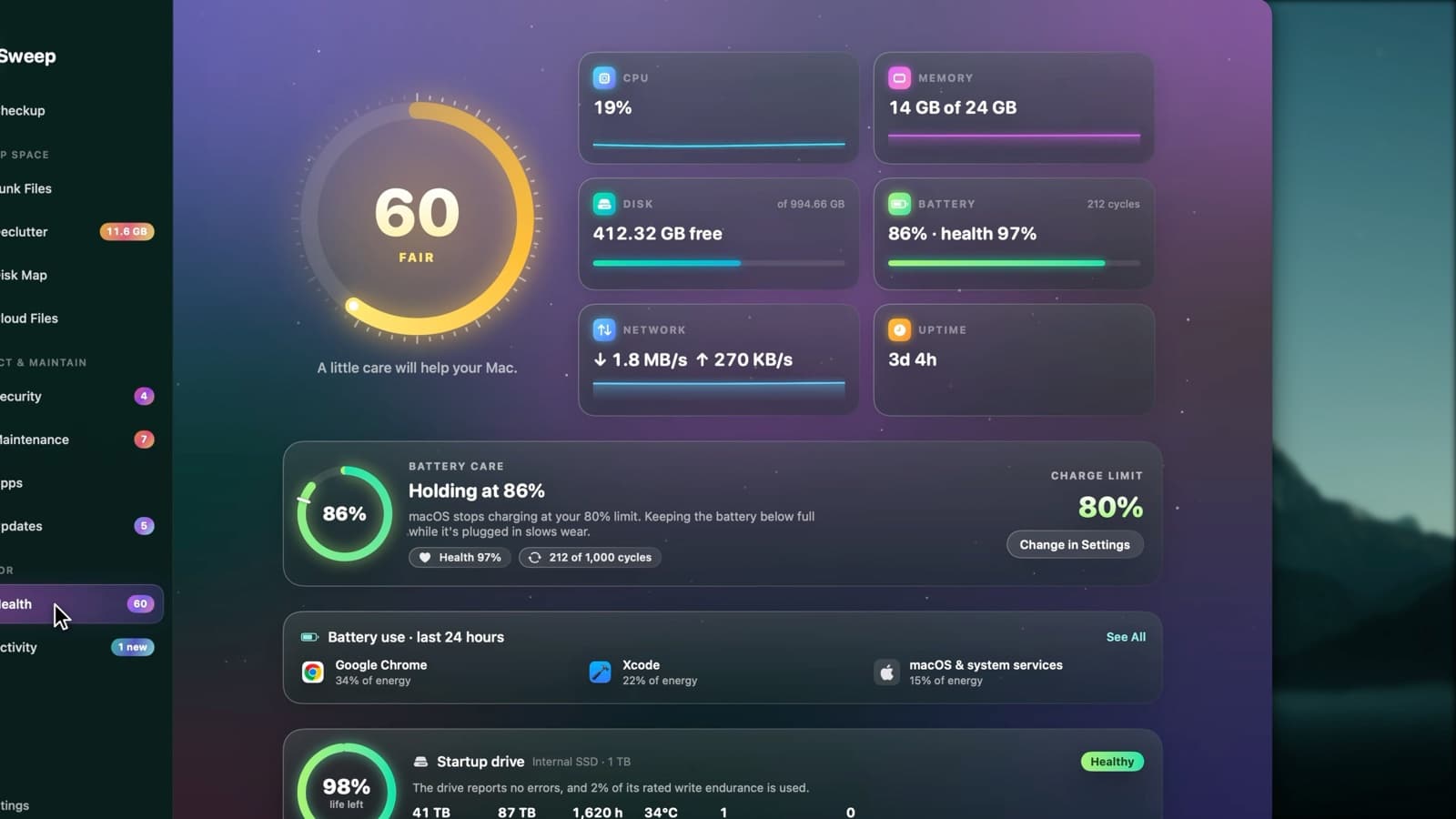
What can lower the score
- A startup disk almost full, or under 15% free
- Malware found, or no recent malware scan
- Memory under pressure
- Battery capacity below 80%
- A drive reporting wear or errors
- Security settings that are off
- Intel-only apps that need Rosetta
- Your Mac running hot
- Junk over 1 GB
- Apps waiting for updates
- More than 14 days since a restart
- No Full Disk Access
Every problem comes with a fix
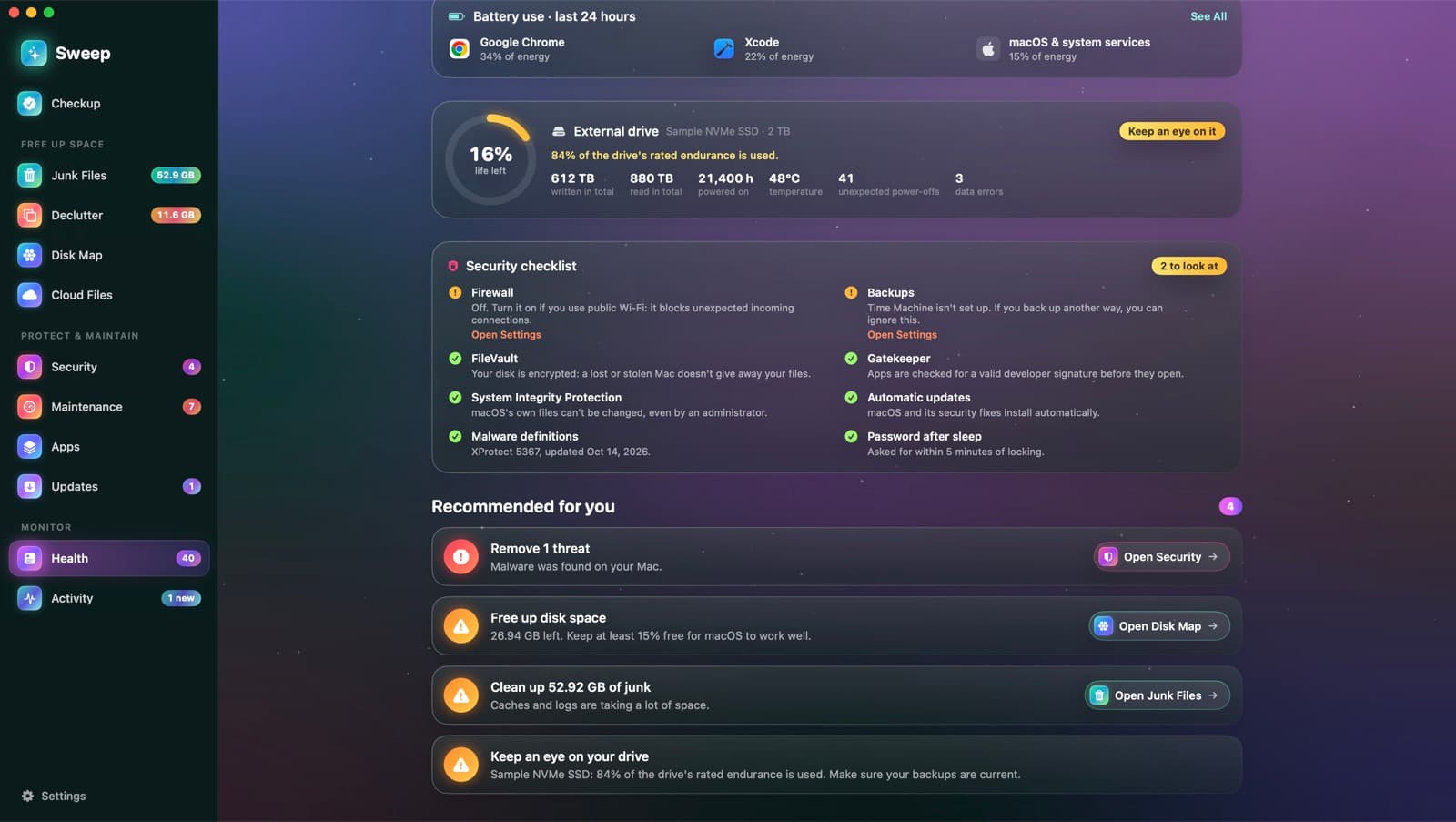
Each recommendation says what's wrong and opens the right page: Security for a threat, Disk Map for space, Junk Files for junk. The most important ones come first.
- Critical, warning and tip levels
- Plain words, no jargon
- One click to the page that fixes it
Your Mac right now
CPU
Processor use, with a sparkline.
Memory
How much is in use, out of the total.
Disk
Free space on your startup disk.
Battery
Charge, health and cycle count.
Network
Download and upload speed.
Uptime
How long since your Mac last restarted.
Health score questions
Something else? Ask us.
Works well with
Battery Care
See your battery's health, its cycle count and the charge limit macOS applies, in one card. Sweep reads the limit from macOS's own charging policy, with no special permissions.
ExploreDrive Health and speed test
Sweep reads the health log your SSD keeps about itself: life left, data written and read, temperature and errors. A speed test measures real write and read speeds, then removes its test file.
ExploreSecurity checklist
Sweep checks eight settings that matter, from FileVault to backups, and explains each in a sentence. Anything that needs attention comes with a button to the right page in System Settings.
Explore
Clean, protect and understand your Mac.
Finds junk, big files and leftovers, checks for malware and risky settings, keeps apps updated, and shows what your Mac does when you're not looking. Free and open source.