

Power and heat
See what drains your battery and heats your Mac.
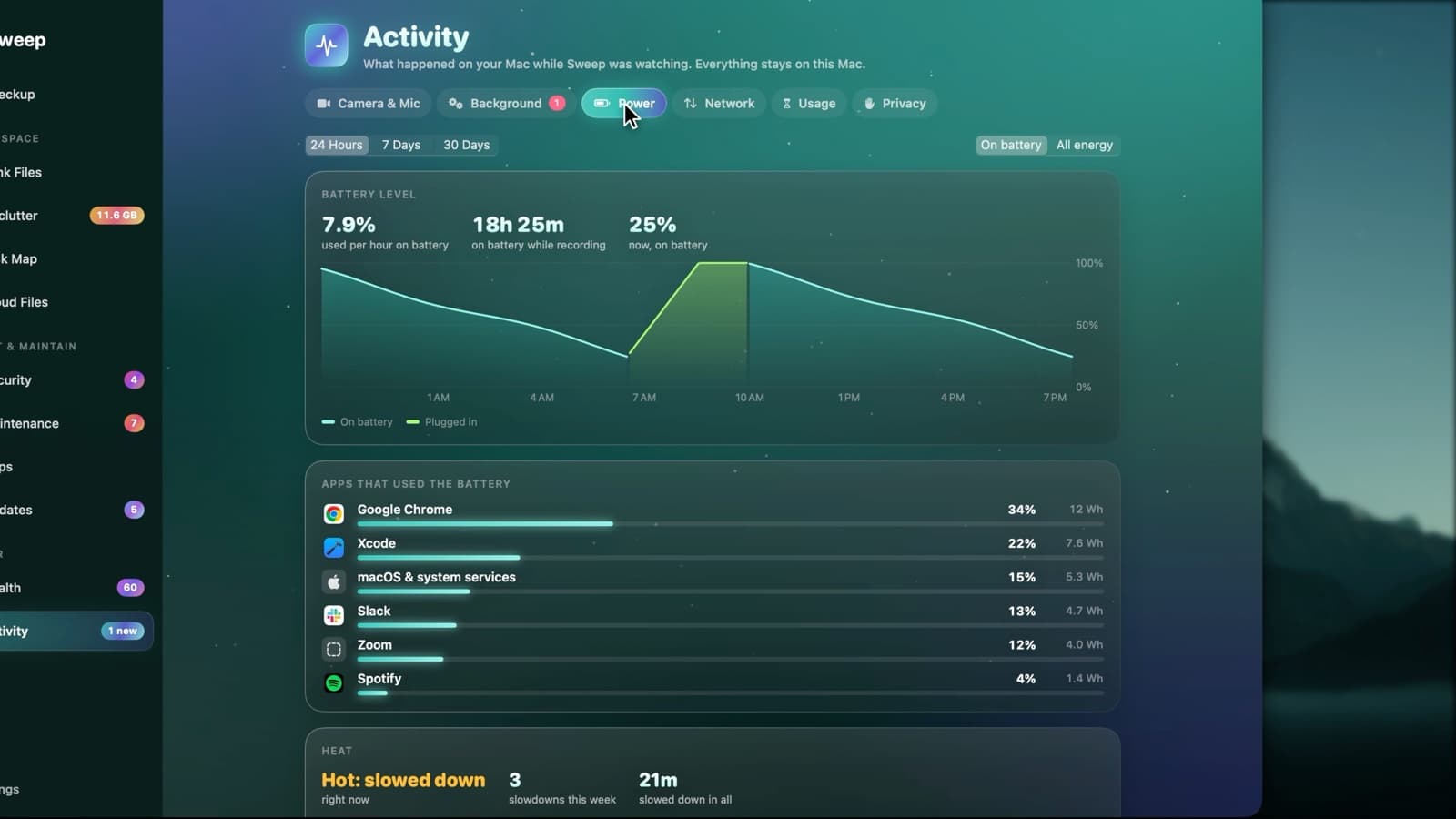
Activity › Power shows your battery level over time and which apps used the most energy, helpers included. It also records each time your Mac slowed itself down because it was hot, and which app was busiest.
Your battery's day, explained
- Battery level over 24 hours, 7 days or 30 days
- How much charge you use per hour on battery
- Apps by share of energy, in watt-hours
- On battery only, or all energy
- Heat slowdowns, and how long they lasted
- The busiest app during each slowdown
Battery Care, alongside
Health adds the battery's health, its cycle count and the charge limit macOS applies, with the top three apps by energy.
Explore Battery Care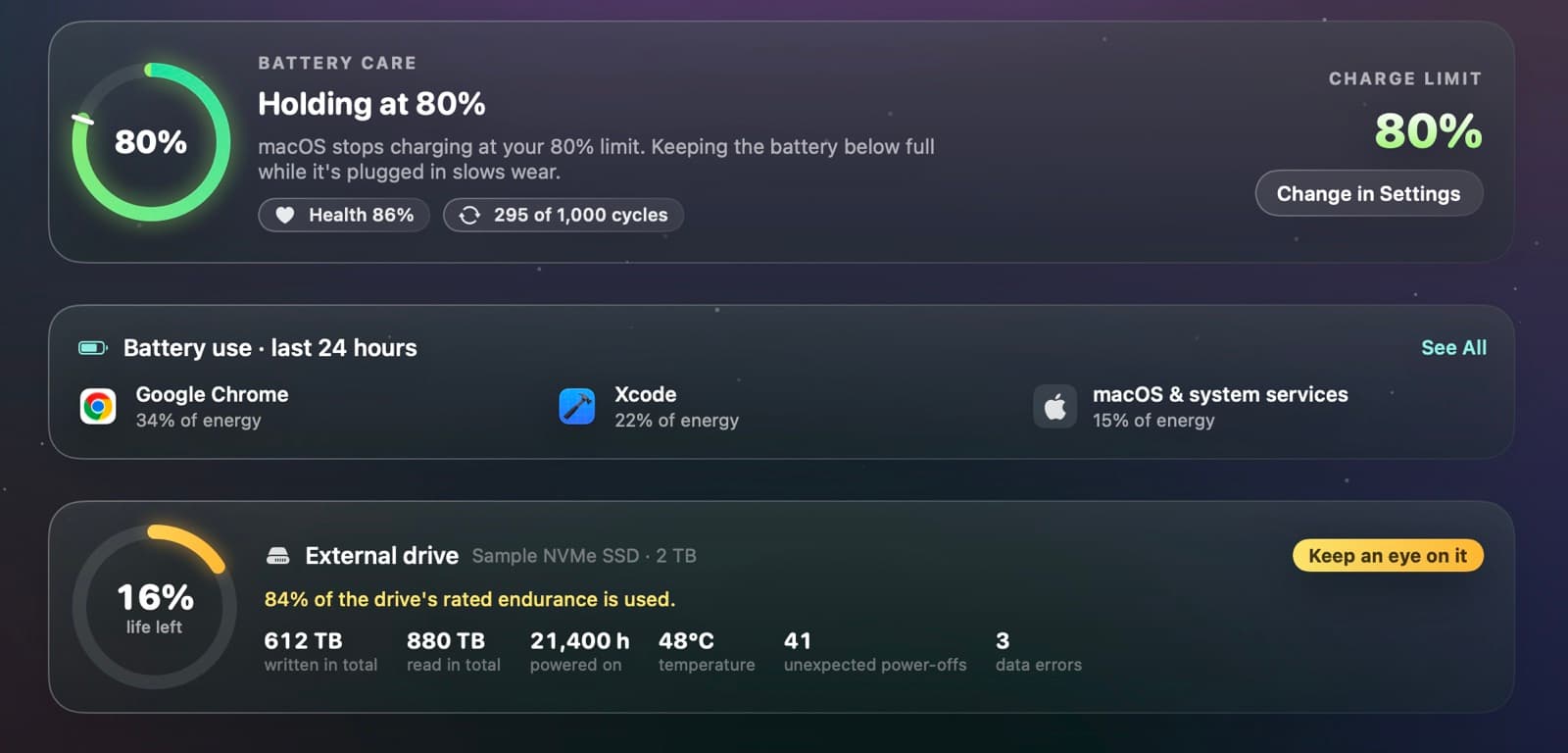
Power questions
Something else? Ask us.
Works well with
Battery Care
See your battery's health, its cycle count and the charge limit macOS applies, in one card. Sweep reads the limit from macOS's own charging policy, with no special permissions.
ExploreMenu bar and alerts
Sweep's menu bar shows live readings and who's using the camera, and warns you about an app stuck at full CPU, a memory hog, heat slowdowns and low accessory batteries. Every alert can be tuned or switched off.
ExploreApp usage
Sweep notes how long each app is in front while you're using your Mac, by day and by hour. Idle time, sleep and a locked screen don't count.
Explore
Clean, protect and understand your Mac.
Finds junk, big files and leftovers, checks for malware and risky settings, keeps apps updated, and shows what your Mac does when you're not looking. Free and open source.