

Phone Backup
Automatic, versioned backups of your phone, on your Mac.
ProPhotos, videos, documents, contacts, texts and the call log, backed up while the phone charges. Restore to a new phone.
Every Pro feature free for 14 days. No card.
What it does.
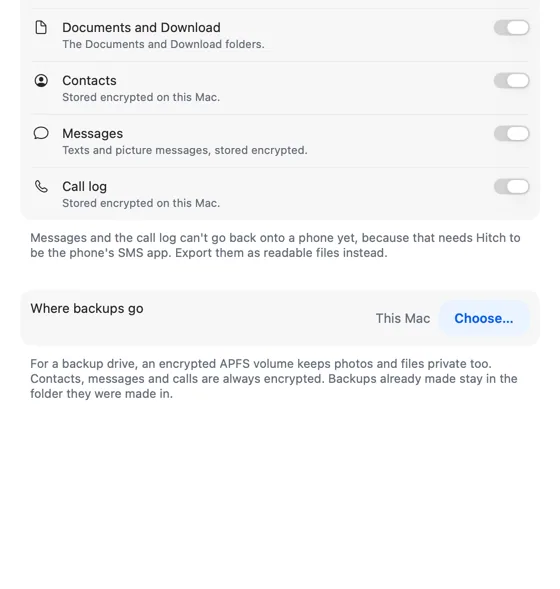
Automatic backups start off. You turn them on, and then Hitch backs up the phone to your Mac or an external drive each day it's connected directly and charging. Only changes are copied, and a file that hasn't changed is stored once.
Contacts, texts and the call log are encrypted on the Mac. Browse snapshots by date, Quick Look anything, restore selected items to the phone, or export to a folder.
Daily snapshots are kept for 30 days, weekly for 12 weeks, then monthly.
How it works.
- 1
Choose what to back up
Each set can be switched off.
- 2
Choose where
This Mac, or a folder or drive you pick.
- 3
Charge and connect
Backups run by themselves, or press Back Up Now.
Every Pro feature free for 14 days. No card.
The limits, plainly.
- Other apps' private data can't be backed up; Android doesn't allow it.
- Texts and the call log can't be restored to the phone yet. You can export them as a readable file.
Try it in the Hitch beta.
Hitch is in a tester beta for Mac and Android. Ask to join, and we'll let you know when there's room.
Every Pro feature free for 14 days. No card.
Mac: macOS 15 or later · Phone: Android 10 or later · Developer settings: Not needed
