

Calls on your Mac
When your phone rings, your Mac rings too.
ProYour Mac rings with your phone and shows who's calling. Answer or decline with one click, and hang up from the menu bar.
Every Pro feature free for 14 days. No card.
What it does.
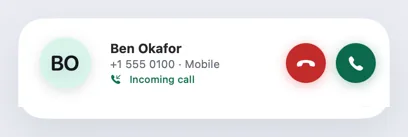
When a call comes in, your Mac plays a gentle ringtone while your phone rings, and a call banner appears at the top right of the screen with the caller's photo or initials, name and number.
Answer and Decline act on the phone straight away. The ringing stops however the call is settled: from the Mac, from the phone, or when the caller hangs up.
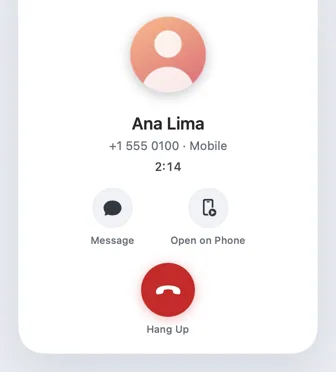
Calls you answer or place on the phone show up on the Mac as well, with a green timer in the menu bar for as long as the call lasts.
How it works.
- 1
Turn on calls
Hitch asks your phone for permission to answer calls the first time you turn calls on.
- 2
Your Mac rings
A banner shows the caller, with Answer, Decline, Message and Mute Ringer.
- 3
Answer from the Mac
One click answers on the phone. The call window takes over for the rest of the call.
- 4
Hang up anywhere
Use the call window, the menu-bar timer or the phone itself.
Every Pro feature free for 14 days. No card.
In the app.
Screenshots from Hitch, with sample names and data.


The limits, plainly.
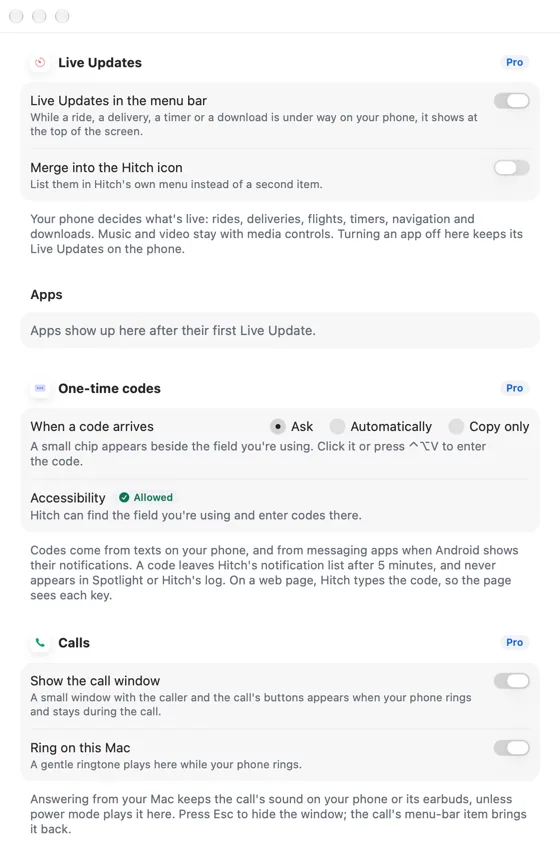
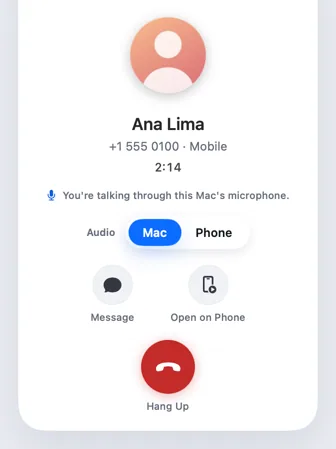
- Answering from the Mac keeps the call's sound on the phone or its earbuds, unless you use power mode to talk through the Mac.
- Without Pro, you still see who's calling, and Answer and Decline offer the upgrade.
Try it in the Hitch beta.
Hitch is in a tester beta for Mac and Android. Ask to join, and we'll let you know when there's room.
Every Pro feature free for 14 days. No card.
Mac: macOS 15 or later · Phone: Android 10 or later · Developer settings: Not needed
