

Network use
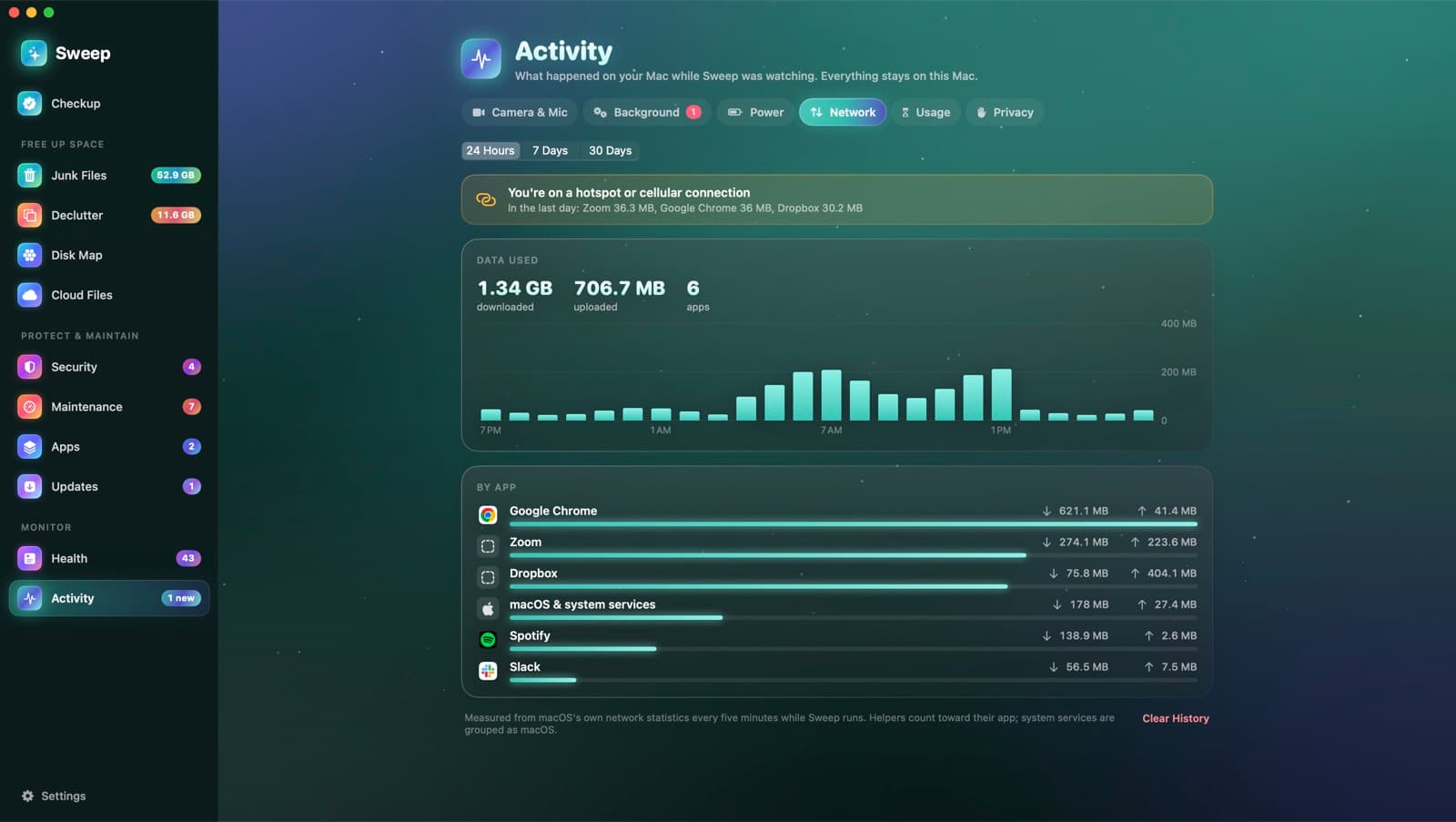
Data used by each app, with a warning on a hotspot.
See how much each app downloaded and uploaded over the last day, week or month. When you're on a phone hotspot or cellular connection, Sweep shows which apps are using your data.
Counted with macOS's own statistics
- 1
Measures
Sweep reads per-process network statistics from nettop every five minutes while it runs. It needs no special permission.
- 2
Groups by app
Helpers count toward their app, and system services are grouped as macOS.
- 3
Warns on expensive connections
On an iPhone hotspot or a cellular modem, a banner shows the apps that used the most data.
What you see
- Downloaded and uploaded totals
- A chart by hour
- 24 hours, 7 days or 30 days
- Each app's download and upload
- Clear History whenever you like
Network questions
Something else? Ask us.
Works well with
App usage
Sweep notes how long each app is in front while you're using your Mac, by day and by hour. Idle time, sleep and a locked screen don't count.
ExplorePower and heat
Activity › Power shows your battery level over time and which apps used the most energy, helpers included. It also records each time your Mac slowed itself down because it was hot, and which app was busiest.
ExploreCamera and mic history
macOS shows a dot while an app uses your camera or microphone, then forgets. Sweep keeps the history: every use, by which app, when and for how long, including screen recording.
Explore
Clean, protect and understand your Mac.
Finds junk, big files and leftovers, checks for malware and risky settings, keeps apps updated, and shows what your Mac does when you're not looking. Free and open source.