

Malware scan
Apple's own malware rules, run on demand.
Sweep checks your apps, startup items and downloads against the XProtect rules already on your Mac, plus any YARA rules you add. Anything it finds goes to a quarantine you can restore from.
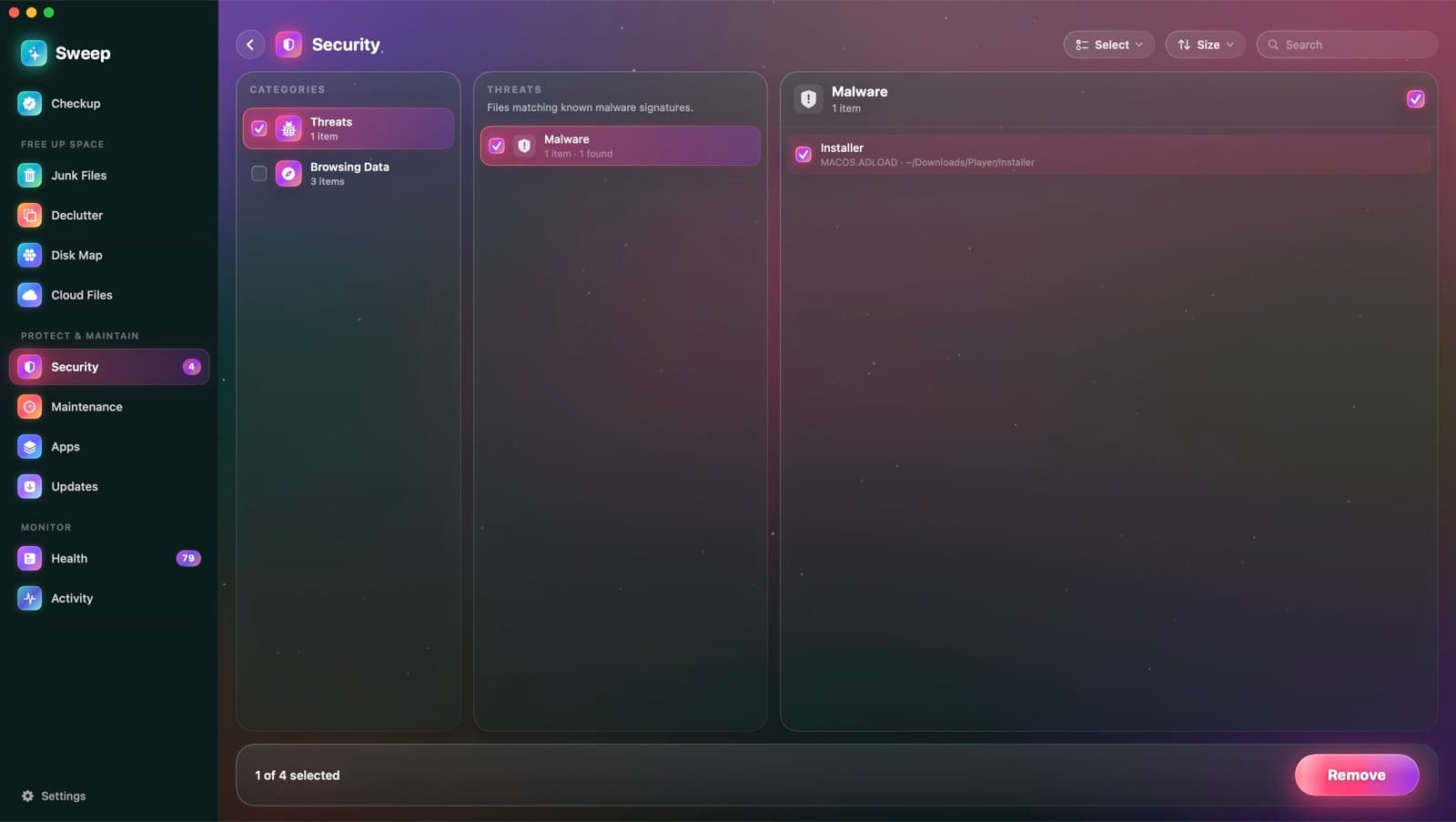
Where malware hides, checked
- 1
Reads Apple's rules in place
XProtect is the malware protection built into macOS. Sweep runs its YARA rules where they are, without copying them.
- 2
Checks the likely places
Programs that start by themselves, helper tools, every installed app, and your Downloads, Desktop and shared folders. A deep scan covers your whole home folder.
- 3
Moves threats aside
A match goes to quarantine, where it can't run. Restore it or delete it in Settings › Security.
Add your own rules
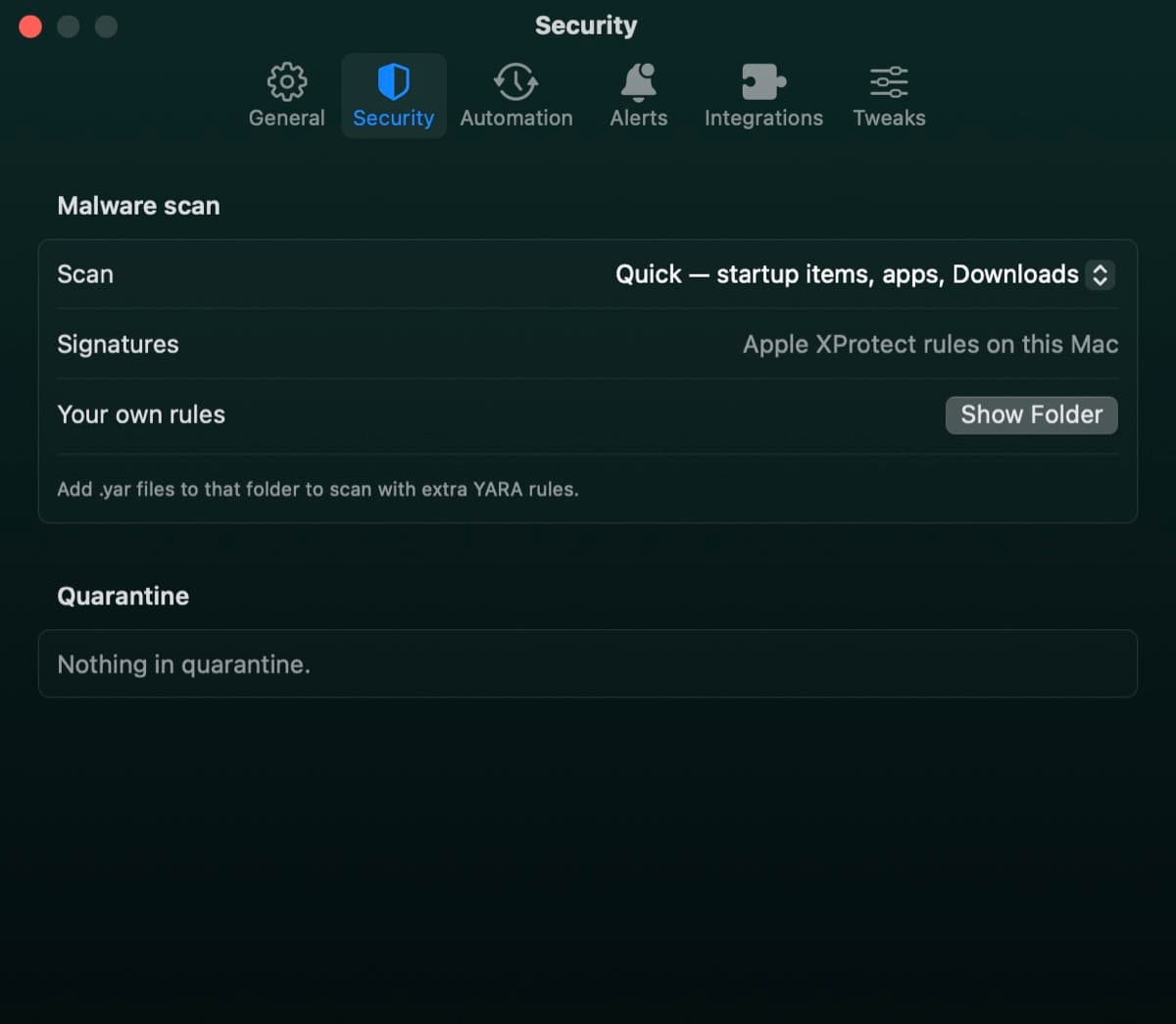
Drop .yar files into Sweep's rules folder and they run alongside Apple's. Choose a quick scan or a deep one.
- Quick: startup items, apps and Downloads
- Deep: everything in your home folder
- Rules Sweep can't run are skipped, never run wrongly
Also in a Security scan
- Startup items that behave like adware or malware
- Browsing data from nine browsers
- Recent items lists
- App permissions you may want to take back
- Saved Wi-Fi networks
Malware scan questions
Something else? Ask us.
Works well with
Quarantine
When the malware scan finds a match, Sweep moves the file into quarantine, where it can't run. If it turns out to be something you need, restore it to exactly where it was.
ExploreStartup items
Sweep lists every login item, launch agent and background helper, who signed it and whether it's running. It flags new ones as they appear, and points out items that behave like adware.
ExploreSecurity checklist
Sweep checks eight settings that matter, from FileVault to backups, and explains each in a sentence. Anything that needs attention comes with a button to the right page in System Settings.
Explore
Clean, protect and understand your Mac.
Finds junk, big files and leftovers, checks for malware and risky settings, keeps apps updated, and shows what your Mac does when you're not looking. Free and open source.