

Leftover finder
Catch what deleted apps left behind.
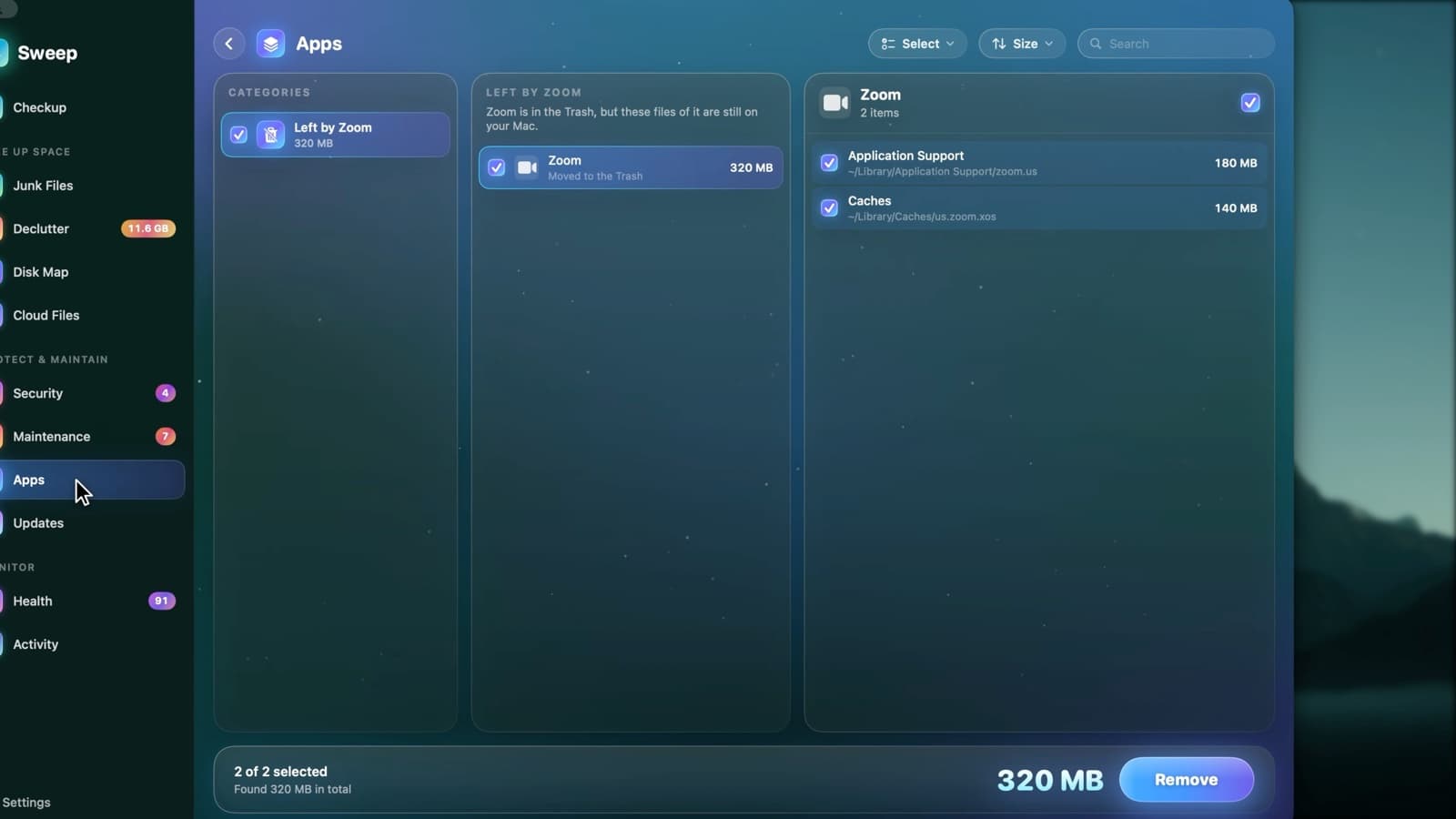
Drag an app to the Trash and Sweep finds the files it left behind, ready to review. It also finds leftovers of apps you deleted long ago, apps you haven't opened in months, and installers you no longer need.
Four kinds of leftovers
Just trashed
When you drag an app to the Trash, Sweep offers its settings, caches and support files right away.
Deleted long ago
Files left by apps removed without an uninstaller, grouped by the app they belonged to.
Unused apps
Apps you haven't opened in more than six months.
Installers
Disk images and packages you may not need now that the apps are installed.
Tidy the moment you uninstall
- 1
Drag an app to the Trash
The way you always have.
- 2
Sweep finds its files
Settings, caches and support files are found straight away, unless another copy of the app is still installed.
- 3
Review them
The menu bar shows what's left behind. Nothing is removed until you review it.
Leftover questions
Something else? Ask us.
Works well with
Complete uninstalls
Dragging an app to the Trash leaves its caches, settings and helpers behind. Sweep finds the files an app owns across your Library and the system's, so you can remove all of it, or reset the app to a clean start.
ExploreJunk Files
Sweep finds caches, logs, old iPhone backups, installers and full Trash bins, and shows you every file before anything goes. You choose what to clean, down to a single file.
ExploreMenu bar and alerts
Sweep's menu bar shows live readings and who's using the camera, and warns you about an app stuck at full CPU, a memory hog, heat slowdowns and low accessory batteries. Every alert can be tuned or switched off.
Explore
Clean, protect and understand your Mac.
Finds junk, big files and leftovers, checks for malware and risky settings, keeps apps updated, and shows what your Mac does when you're not looking. Free and open source.