

Keyboard watch and permissions
See which apps can read what you type.
Some apps can see every key you press: text expanders and shortcut tools, but also keyloggers. Sweep lists them with who signed them, next to every permission you've given apps on your Mac.
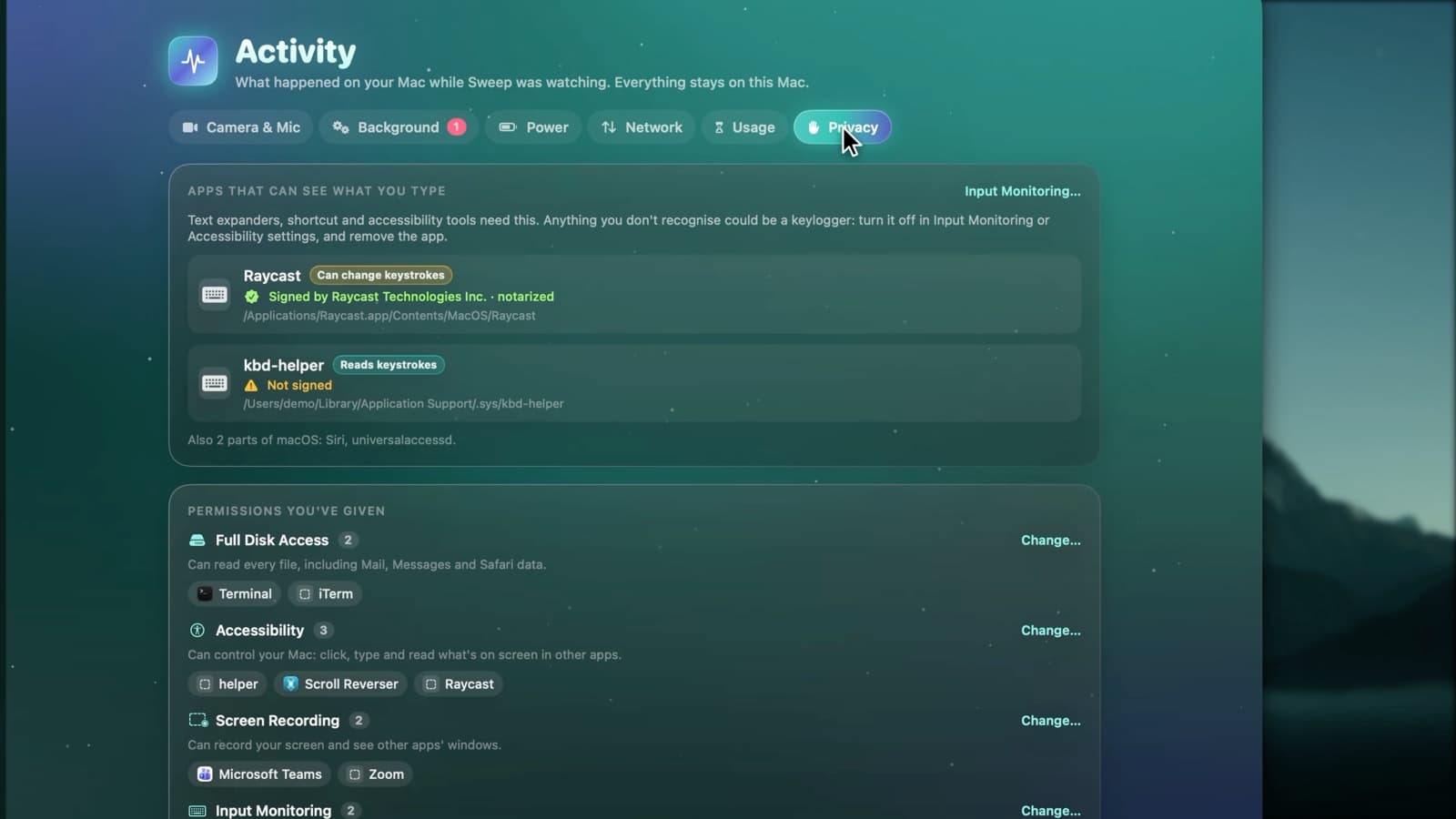
What the Privacy tab shows
- Every app that can see your keystrokes right now
- Whether it only reads keystrokes, or can change them
- Its code signature and developer
- Apps with Full Disk Access
- Apps with Accessibility, Screen Recording and Input Monitoring
- A Change… button that opens the right settings page
Spot a keylogger in seconds
- 1
Finds keyboard taps
Sweep asks macOS which processes are watching the keyboard, using a public interface that needs no permission.
- 2
Explains each one
Signed by a known developer and notarized, or not signed. Parts of macOS, like Siri, are named separately.
- 3
You act
Anything you don't recognise can be turned off in Input Monitoring or Accessibility settings, and its app removed.
On macOS 27
macOS 27 keeps some permissions where no app can read them, so the Privacy tab lists the system-wide ones there. Camera & Mic still shows which apps actually used the camera and microphone.
Privacy tab questions
Something else? Ask us.
Works well with
Browser privacy
Sweep finds history, download history, cookies, autofill data and last-session tabs in Safari, Chrome, Firefox, Edge, Brave, Arc, Vivaldi, Opera and Chromium. Nothing is ticked for you, and a browser is asked to quit first.
ExploreStartup items
Sweep lists every login item, launch agent and background helper, who signed it and whether it's running. It flags new ones as they appear, and points out items that behave like adware.
ExploreCamera and mic history
macOS shows a dot while an app uses your camera or microphone, then forgets. Sweep keeps the history: every use, by which app, when and for how long, including screen recording.
Explore
Clean, protect and understand your Mac.
Finds junk, big files and leftovers, checks for malware and risky settings, keeps apps updated, and shows what your Mac does when you're not looking. Free and open source.