

Notifications with replies
Your phone's notifications, where you're already looking.
FreeSee every phone notification on the Mac. Reply inline, press the app's own buttons, copy sign-in codes, and choose how each app alerts.
Every Pro feature free for 14 days. No card.
What it does.
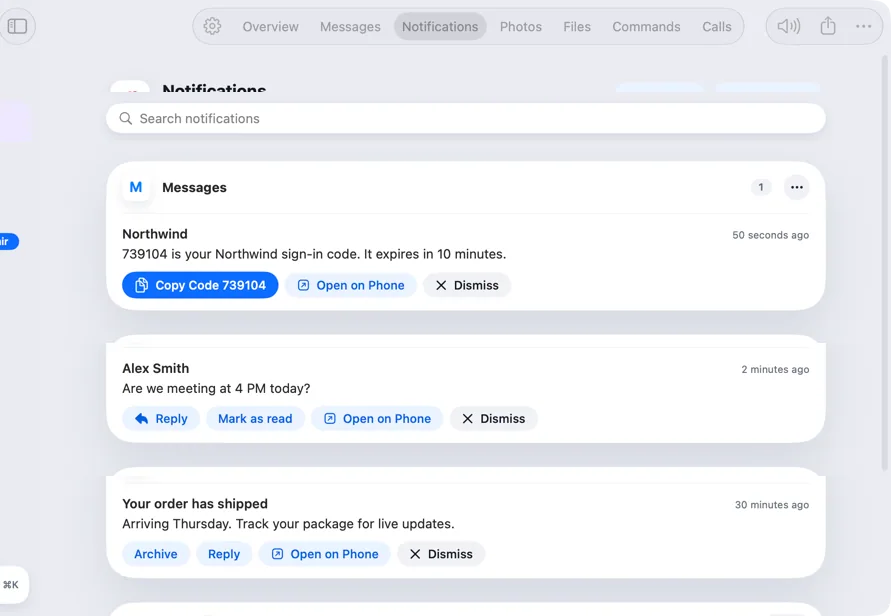
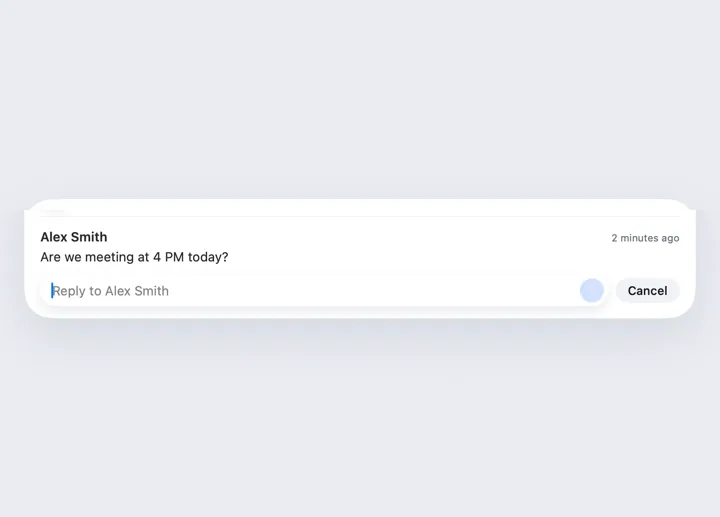
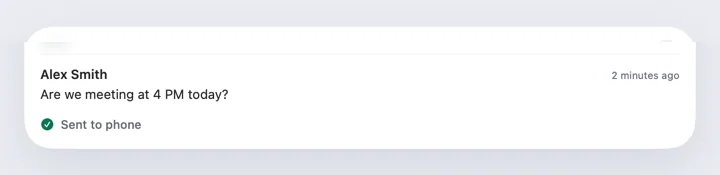
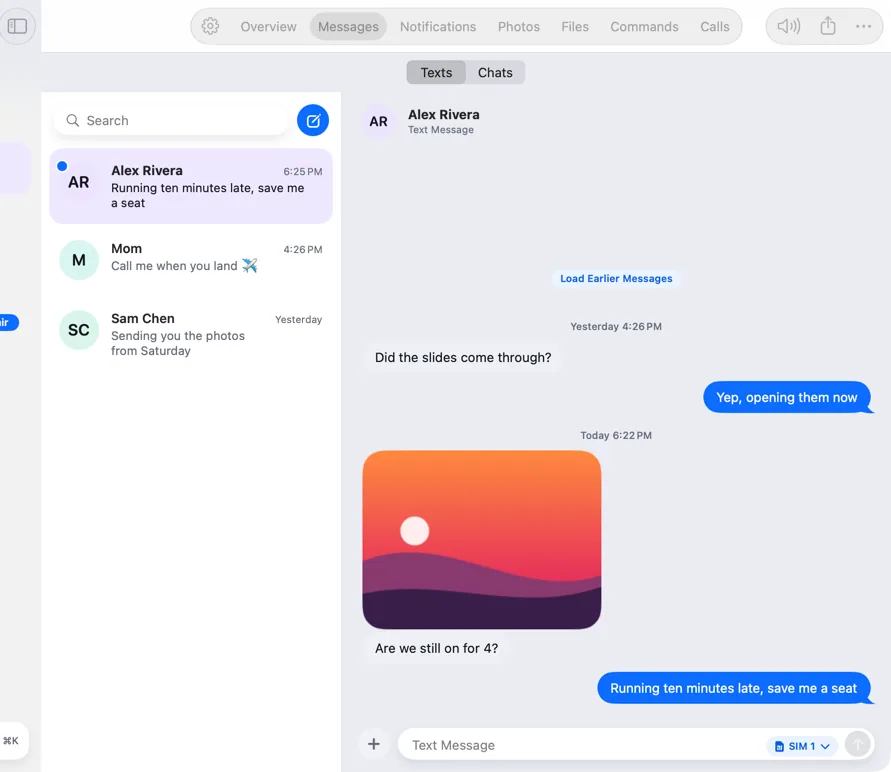
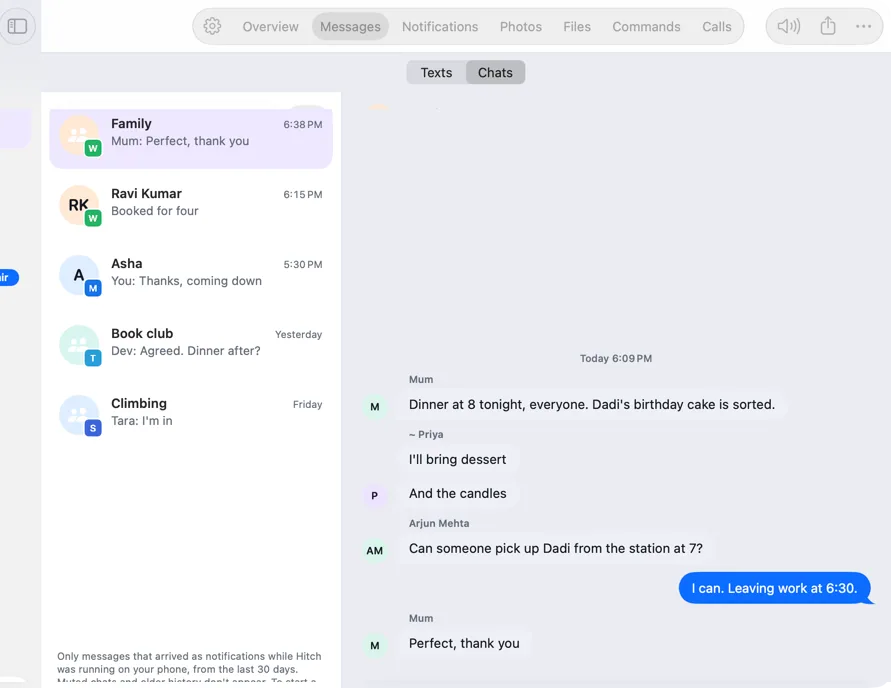
Notifications from your phone appear as Mac banners and in a feed you can search. Reply inline where the app allows it, and use its buttons, like Mark as read, with one click that shows the result.
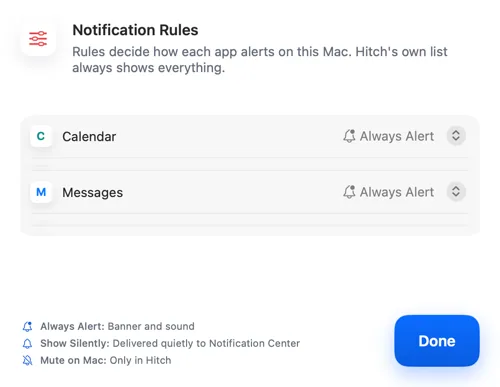
Notification Rules let you choose, per app, whether it alerts with a banner and sound, shows silently, or stays on the phone.
Sign-in codes get a Copy Code button.
How it works.
- 1
Allow notification access
Your phone asks once, with a plain reason.
- 2
Read and act
Reply, dismiss or press the app's buttons from the Mac.
- 3
Tune it
Rules decide which apps alert on the Mac.
Free, always.
In the app.
Screenshots from Hitch, with sample names and data.
The limits, plainly.
- Some apps don't offer replies or buttons in their notifications.
- Android 15 and later may hide sign-in codes inside other apps' notifications.
Try it in the Hitch beta.
Hitch is in a tester beta for Mac and Android. Ask to join, and we'll let you know when there's room.
Every Pro feature free for 14 days. No card.
Mac: macOS 15 or later · Phone: Android 10 or later · Developer settings: Not needed
